Structural curvy roof answer [TUTORIAL]
-
How to make a structural curvy roof by chang

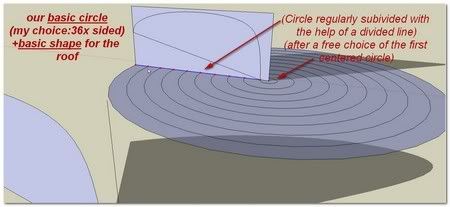
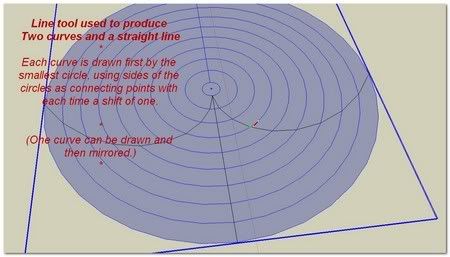
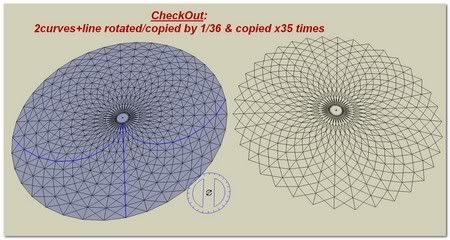
As I think this purpose can be for a general interest, I open a special thread into this Tutorial Section to explain my way to achieve this.

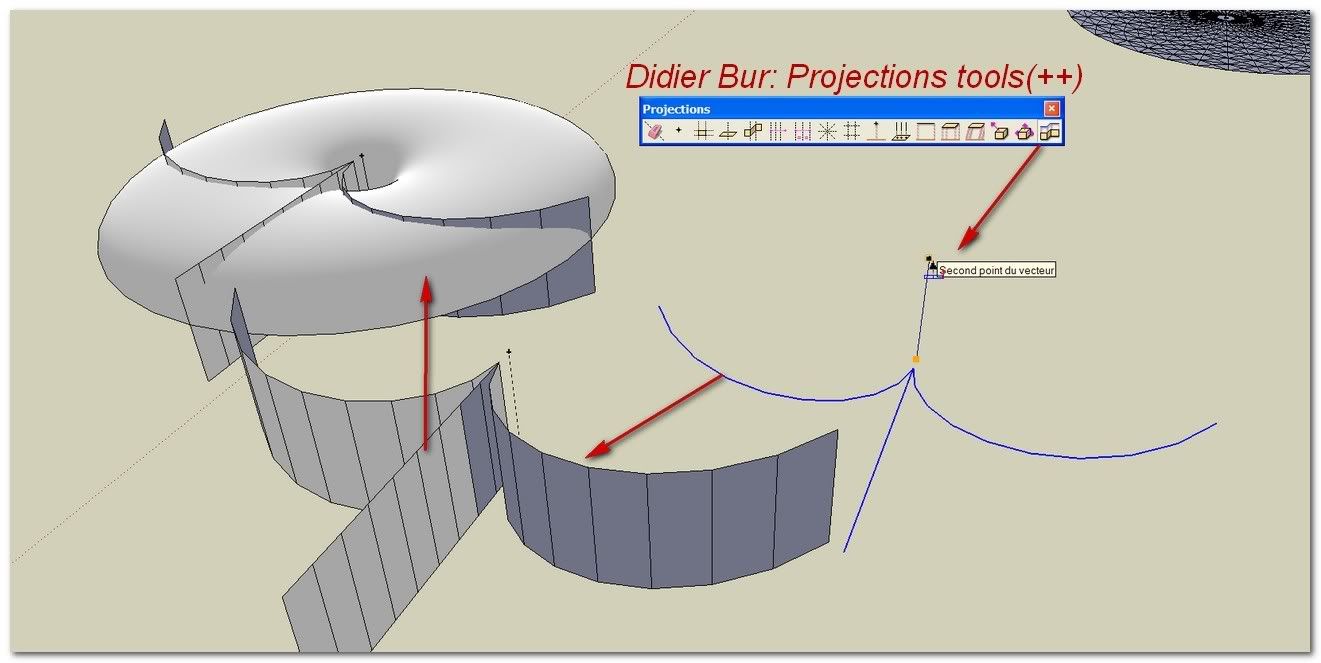
Didier Bur [Plugin] Projections version 2 UPDATED 03.07.09
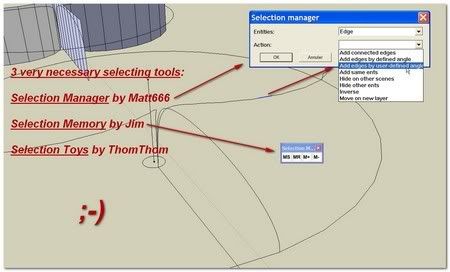
Matt666_Selection manager
Jim_Selection Memory
tmtm_Selection Toys (1.4.0)
Weld by Rick Wilson
[url=http://www.sketchucation.com/forums/scf/viewtopic.php?f=180&t=13563&st=0&sk=t&sd=a&hilit=bezier+spline:1zfgxzyj]Fredo_BezierSpline[/url:1zfgxzyj]
[url=http://i274.photobucket.com/albums/jj245/Spendauballet/SketchUp/Dome010.jpg:1zfgxzyj]
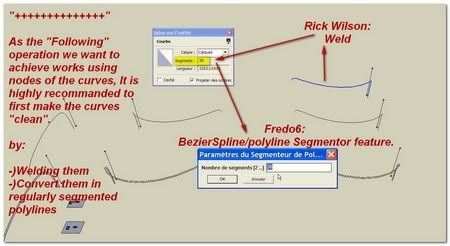
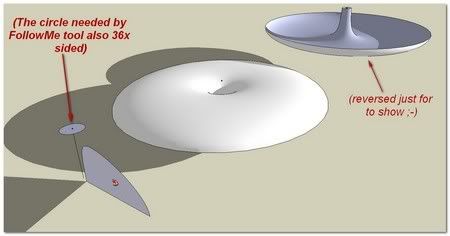
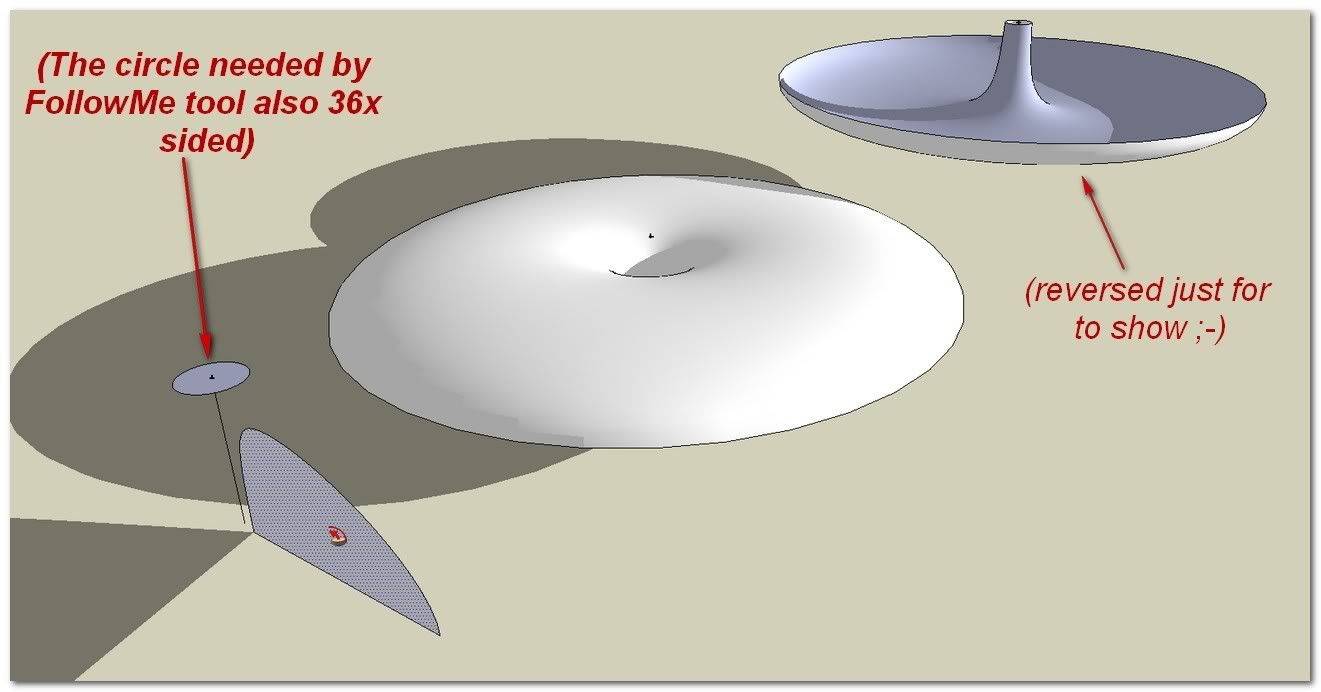
[/url:1zfgxzyj]Native FollowMe tool is overpassed with this kind of 3D curve job. It makes the shape rotating along the path.
Some other solutions exists.
I have tried: [url=http://www.sketchucation.com/forums/scf/viewtopic.php?f=180&t=16465:1zfgxzyj]wikii_FollowMe and keep[/url:1zfgxzyj] But in our case, the result does not suit..
We can also use [url=http://forums.sketchucation.com/viewtopic.php?f=180&t=21658:1zfgxzyj]Kirill _ 2 Faces + Path[/url:1zfgxzyj] following this kind of method: [url=http://forums.sketchucation.com/viewtopic.php?f=180&t=23237&start=0#p198203:1zfgxzyj]Copy Array Along Path tool...have a look.[/url:1zfgxzyj]
but this exercise is hard for it too.
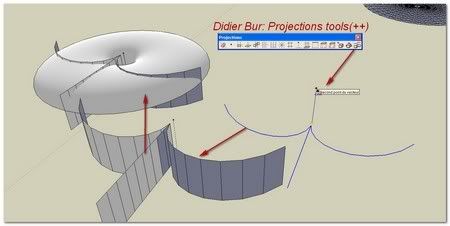
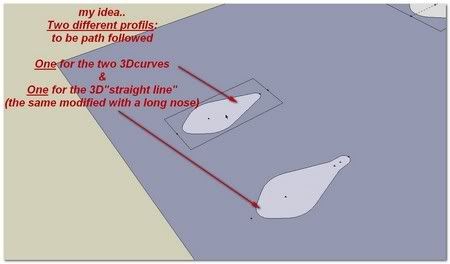
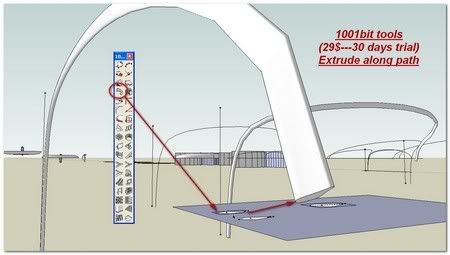
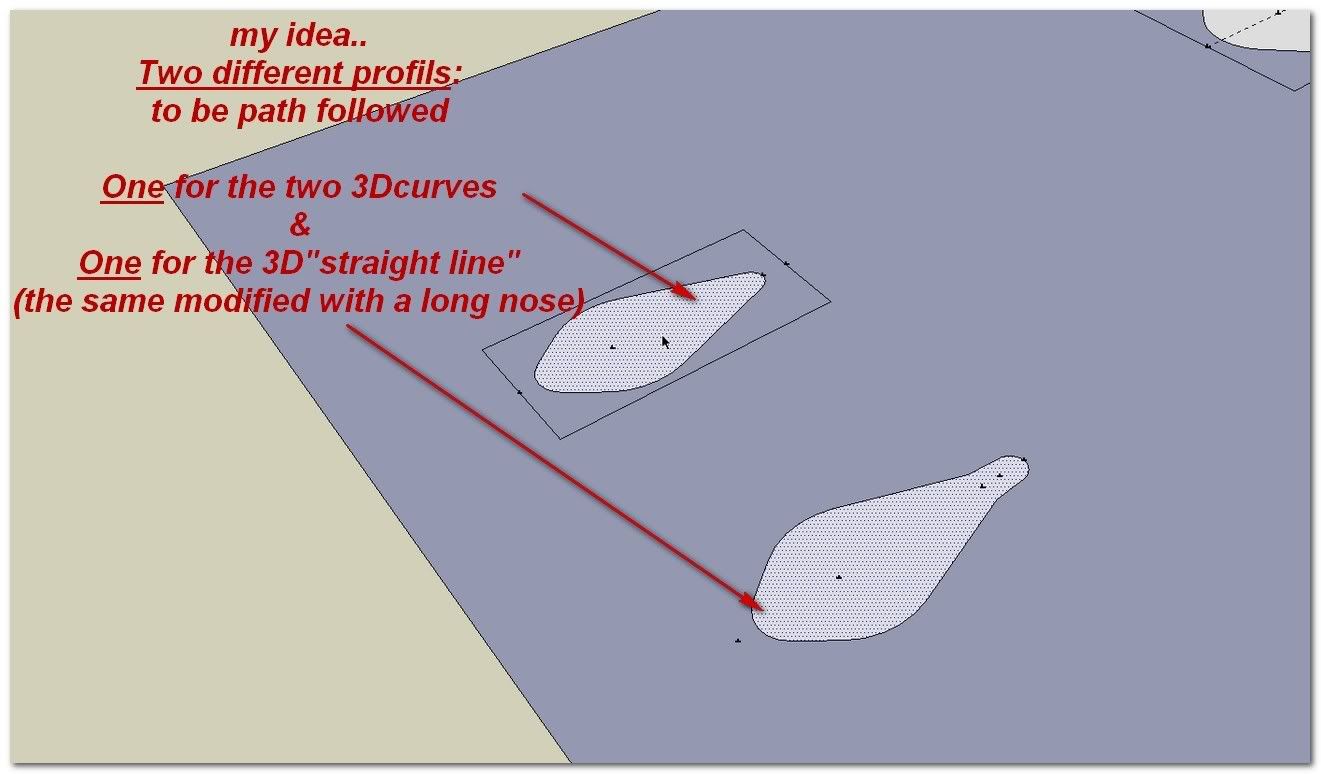
The last solution to make our shape follow our curves resides in Extrude along a path from 1001bit tools.
This one also need to be tamed. For example it absolutely doesn't like to initiate on a vertical line..
(29$ seems to be a reasonable price..)(traduction française par notre frenchy Pilou )
)
[url=http://www.1001bit.com/:1zfgxzyj]1001bit.com - Architectural Tools for Sketchup[/url:1zfgxzyj]
[url=http://i274.photobucket.com/albums/jj245/Spendauballet/SketchUp/Dome011.jpg:1zfgxzyj]
[/url:1zfgxzyj][url=http://i274.photobucket.com/albums/jj245/Spendauballet/SketchUp/Dome012.jpg:1zfgxzyj]
[/url:1zfgxzyj][url=http://i274.photobucket.com/albums/jj245/Spendauballet/SketchUp/Dome012b.jpg:1zfgxzyj]
[/url:1zfgxzyj][url=http://i274.photobucket.com/albums/jj245/Spendauballet/SketchUp/Dome013.jpg:1zfgxzyj]
[/url:1zfgxzyj][url=http://i274.photobucket.com/albums/jj245/Spendauballet/SketchUp/Dome014.jpg:1zfgxzyj][img:1zfgxzyj]http://i274.photobucket.com/albums/jj245/Spendauballet/SketchUp/Dome014th.jpg[/img:1zfgxzyj][/url:1zfgxzyj]
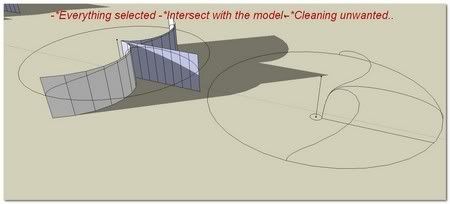
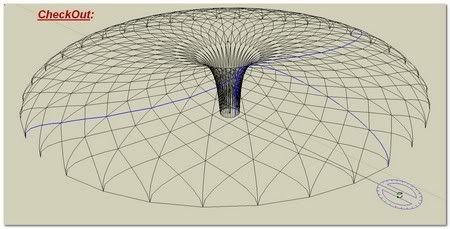
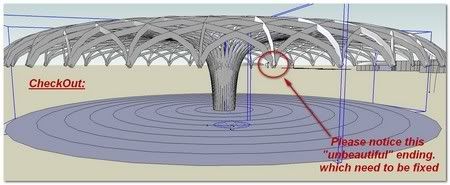
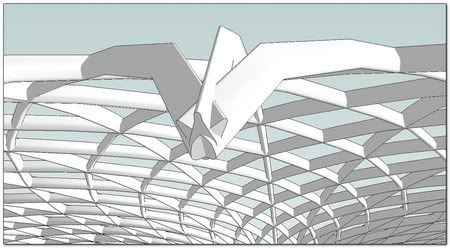
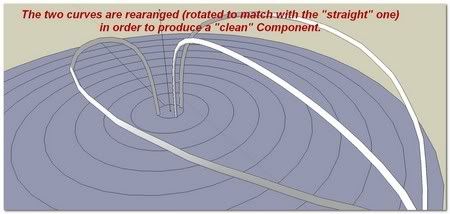
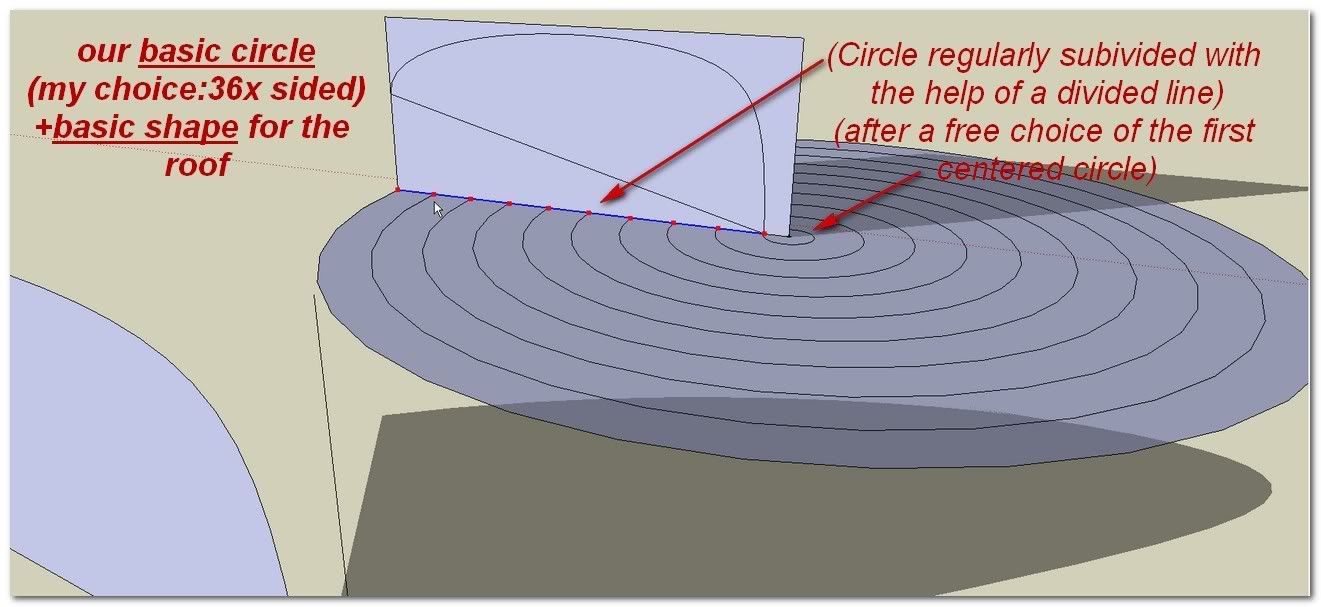
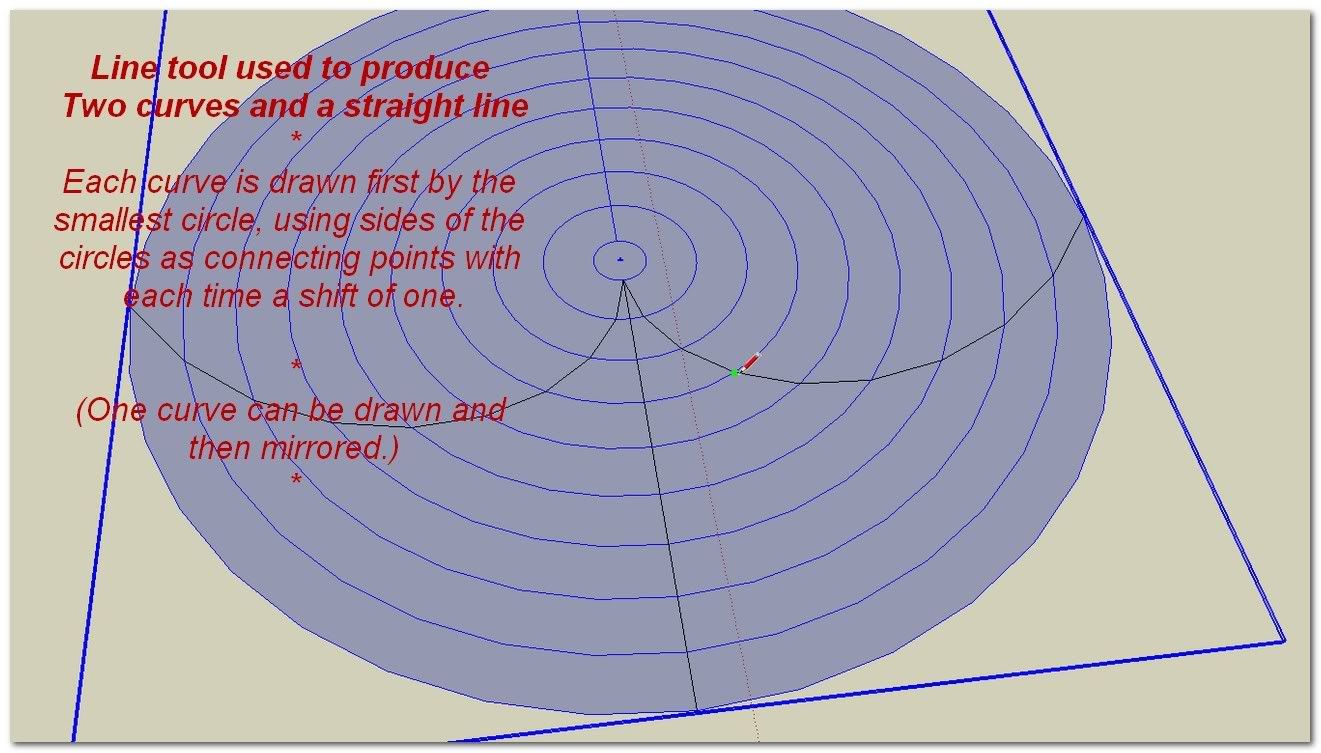
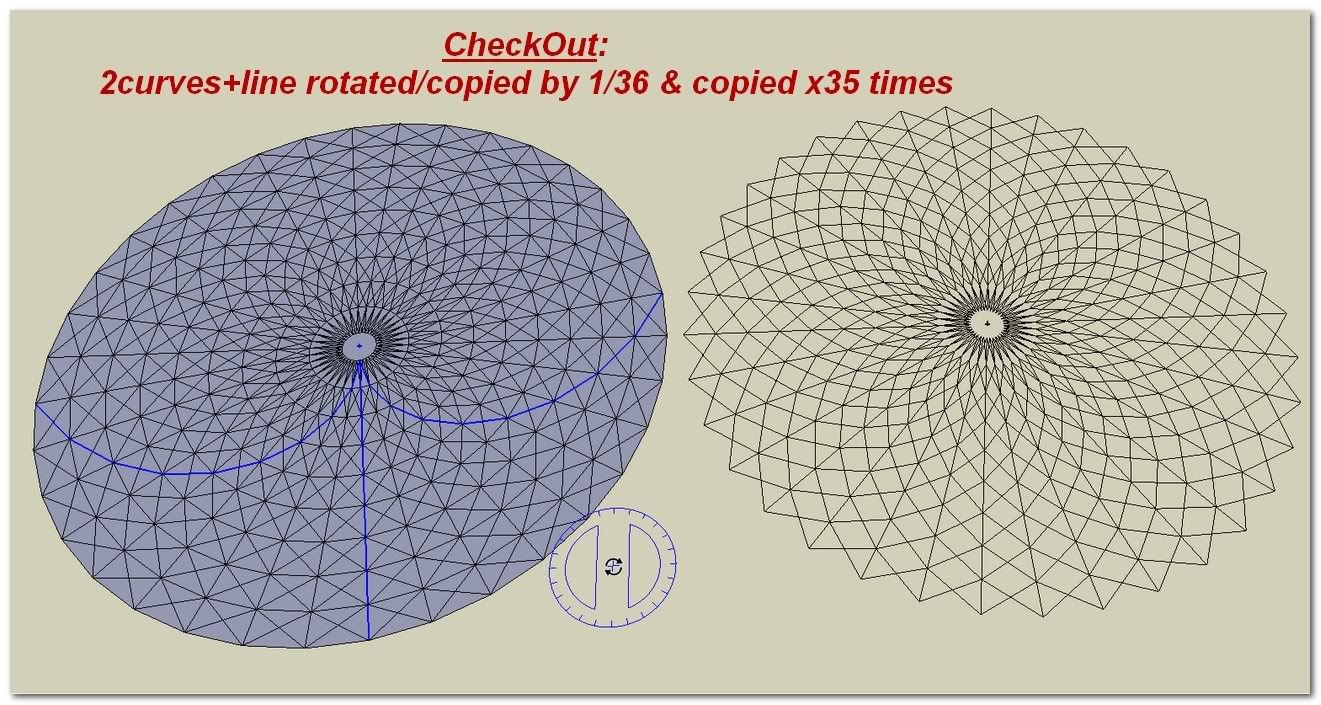
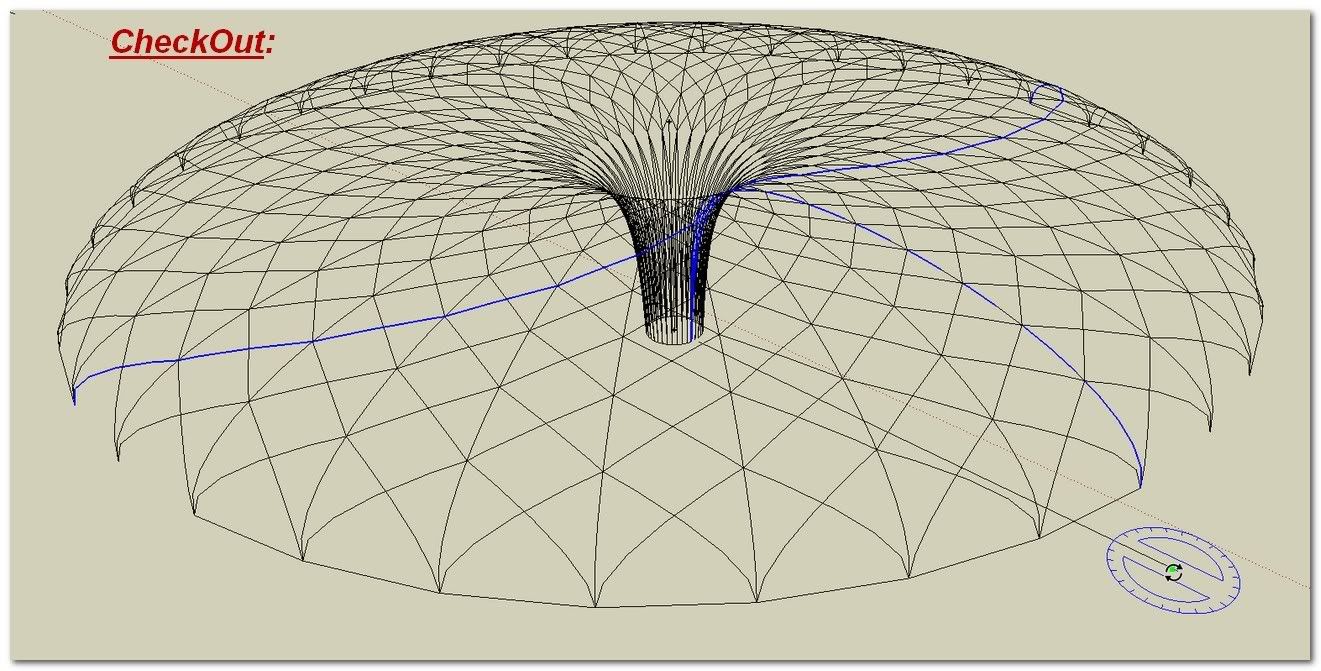
Once this new ExtrudeAlongPath along these prolonged curves is done, we put the shapes in coincidence two by two for IntersectWithModel and cleaning unwanted. Then the three curves and center references are put together to produce a clean basic roof element component.
[url=http://i274.photobucket.com/albums/jj245/Spendauballet/SketchUp/Dome015.jpg:1zfgxzyj][img:1zfgxzyj]http://i274.photobucket.com/albums/jj245/Spendauballet/SketchUp/Dome015th.jpg[/img:1zfgxzyj][/url:1zfgxzyj][url=http://i274.photobucket.com/albums/jj245/Spendauballet/SketchUp/Dome013b.jpg:1zfgxzyj][img:1zfgxzyj]http://i274.photobucket.com/albums/jj245/Spendauballet/SketchUp/Dome013bth.jpg[/img:1zfgxzyj][/url:1zfgxzyj]
[url=http://www.sketchucation.com/forums/scf/viewtopic.php?f=180&t=18210:1zfgxzyj]clf_Shape Bender[/url:1zfgxzyj]
[url=http://i274.photobucket.com/albums/jj245/Spendauballet/SketchUp/Dome016.jpg:1zfgxzyj][img:1zfgxzyj]http://i274.photobucket.com/albums/jj245/Spendauballet/SketchUp/Dome016th.jpg[/img:1zfgxzyj][/url:1zfgxzyj][url=http://i274.photobucket.com/albums/jj245/Spendauballet/SketchUp/Dome017.jpg:1zfgxzyj][img:1zfgxzyj]http://i274.photobucket.com/albums/jj245/Spendauballet/SketchUp/Dome017th.jpg[/img:1zfgxzyj][/url:1zfgxzyj]
The dome previously drawn with FollowMe tool is painted in glass material and put in place easily with the centered construction point..
[url=http://i274.photobucket.com/albums/jj245/Spendauballet/SketchUp/Dome018.jpg:1zfgxzyj][img:1zfgxzyj]http://i274.photobucket.com/albums/jj245/Spendauballet/SketchUp/Dome018th.jpg[/img:1zfgxzyj][/url:1zfgxzyj]My first serie with [url=http://www.kerkythea.net/joomla/:1zfgxzyj]Kerkythea[/url:1zfgxzyj]

[url=http://i274.photobucket.com/albums/jj245/Spendauballet/SketchUp/dome003_kt.jpg:1zfgxzyj][img:1zfgxzyj]http://i274.photobucket.com/albums/jj245/Spendauballet/SketchUp/dome003_kt_th.jpg[/img:1zfgxzyj][/url:1zfgxzyj]
[url=http://i274.photobucket.com/albums/jj245/Spendauballet/SketchUp/dome008_kt.jpg:1zfgxzyj][img:1zfgxzyj]http://i274.photobucket.com/albums/jj245/Spendauballet/SketchUp/dome008_kt_th.jpg[/img:1zfgxzyj][/url:1zfgxzyj]
 simon
simon 
-
Simon, you are truly mad... (in a great way)

-
Nicely done. Thanks for sharing.
-
Dale, You are right: I am completely mad...Some additional KT pictures in Gallery
simon -
Cool result
I see that some plugs are used
Thx for the remark
(d'ailleurs à la prochaine version il faudrait que je raccourcisse les bulles d'aide qui dépassent
-
a very useful tut! thanks muchly
-
Thanks Simon, yes definately a madman in the nicest sense. I have added [TUTORIAL] to the topic heading for better search results. Must get Csaba to post it in the Daily CatchUp.
Mike
-
Nice tutorial Simon! I love the way you think!
-
Great Job.
This tutorial is very helpful for my sketchup modelingGooD thanKs ..................
-
Hi guys I'm confused by such friendly feedbacks..

I would like make some addons to this thread..
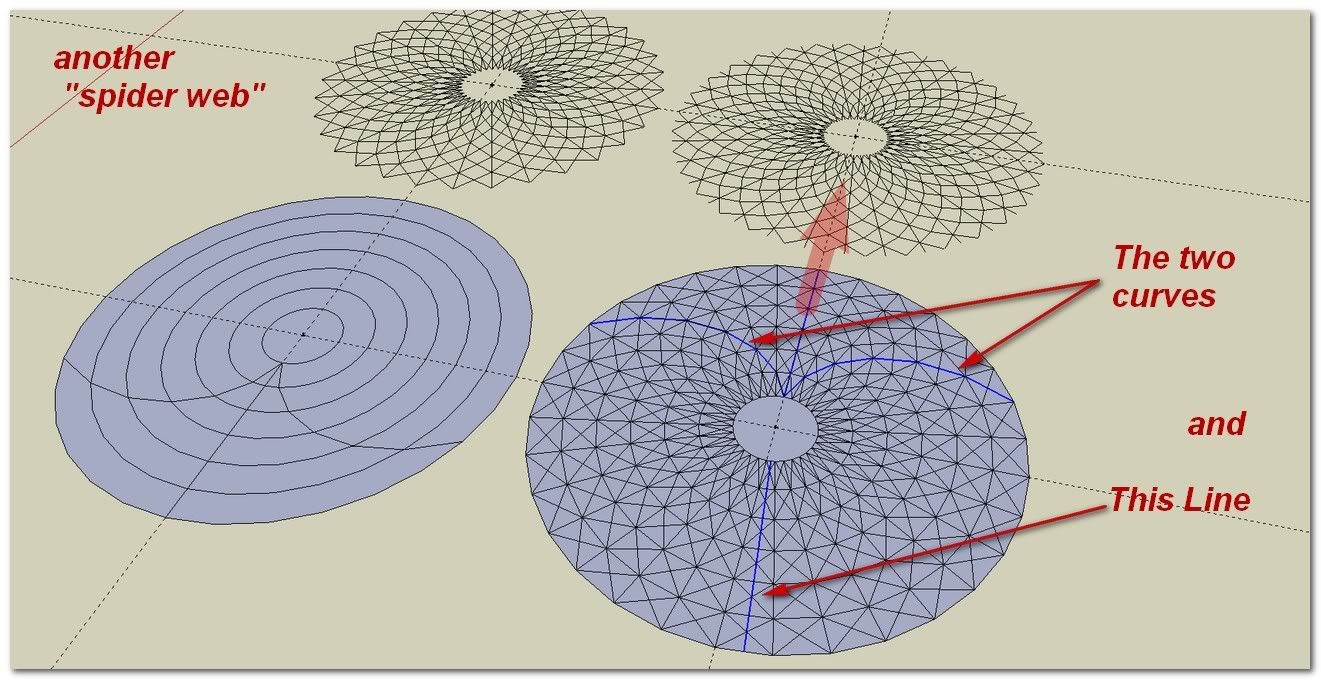
I) an alternate Spider Web design
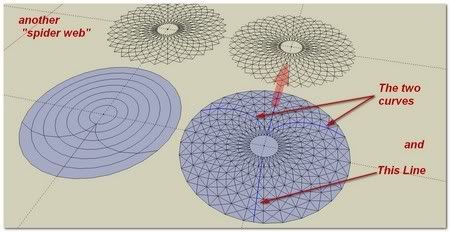
II) the possibility to use the same technique for an ovale shape:
Whaat_SubdivideAndSmooth
(re: Central box squarred for a circular result after S&S action)
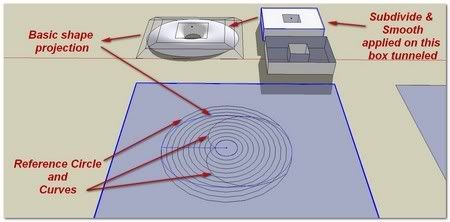
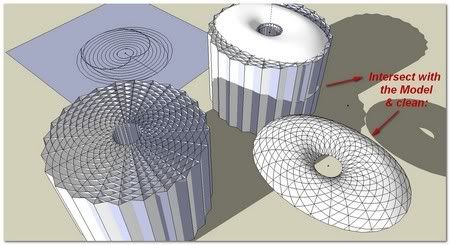
(we have to say that the number of elements increases so quickly that the poor monocore SketchUp engine goes to the touch dawn in a snap
 )
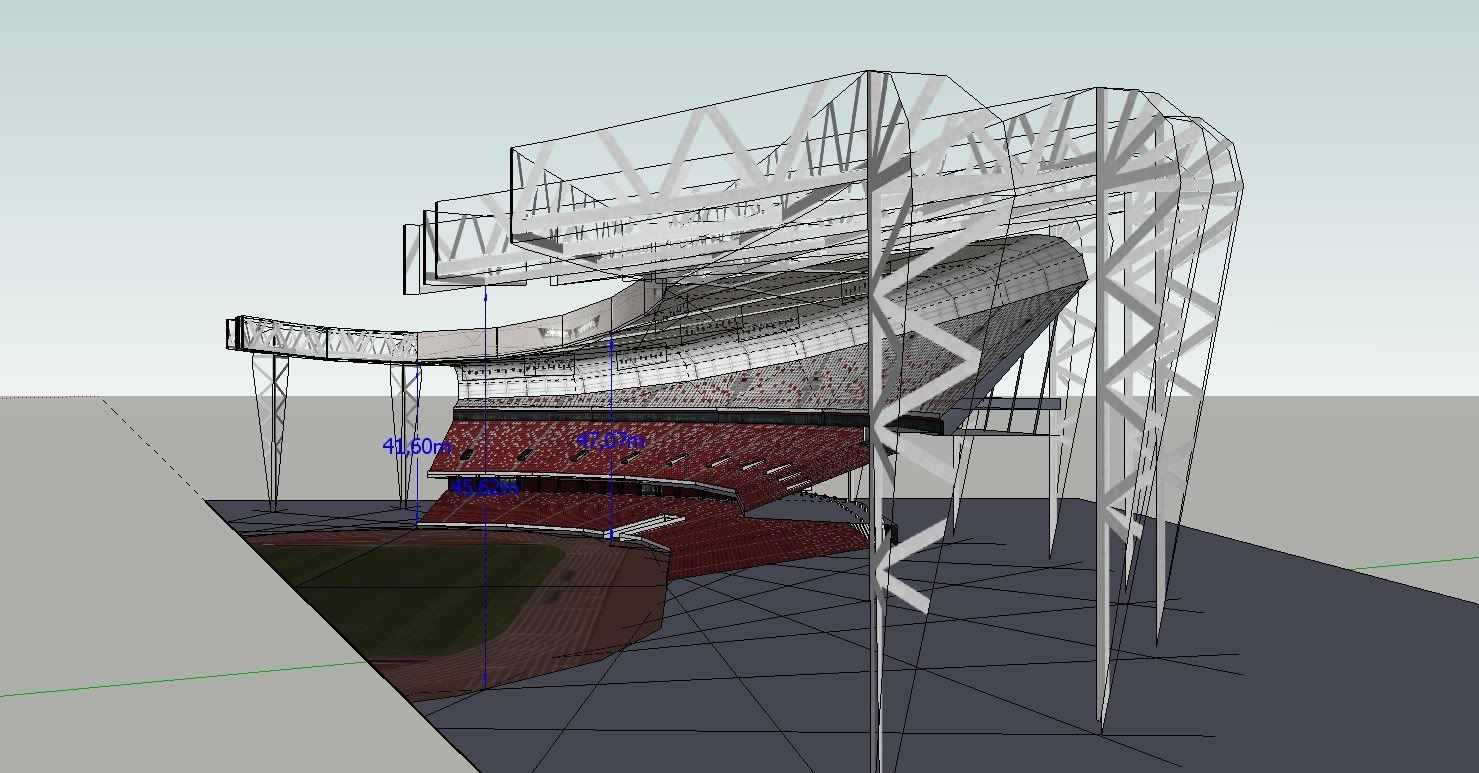
)III)Here is a chinese Sketchup model of the National Stadium of Pekin National Stadium_v0.skp which is dealing with that sort of questions and is very interesting to dismount...
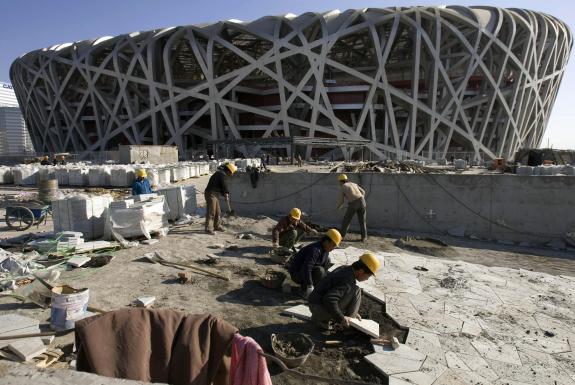
(taken from:
archINFORM)I have worked on it for a friend who was asking me quotations, cause he was to install a "Spider Cam" on it for a manifestation...
some pictures in PicasaWebAlbum
+++ simon
-
Hi Simon,
this is a really good tutorial. I see that I still have to learn a lot.
Karlheinz
-
-
It's curious: at any moment you have used Line2Tubes by Didier Bur?
Tubes here

If you take precision = 4 you have square section so rectangular boxes in length !

-
@unknownuser said:
It's curious: at any moment you have used Line2Tubes by Didier Bur?
Hi Pilou,
Good to see else tries than mine (We often find you kindly at the "rendez-vous" )You are right and not.
Line2Tubes from Didier or PipeAlongPath from TIG can be used in any case for a low poly previsu and in some cases when we want centered variations of polygones (triangle; squares; polygones; circles) . You are right I have forgotten to use them.
But I think the more often we are going to want a special shape with a special center in order to answer to two aspects: mechanical (the roof must sustain the overall weight) and esthetical too. simon
simon -
Thanks for the GREAT tutorial!
-
Thank u very much for the tutorial.
-
Yes, thanks for the tutorial (and a nice implicit how-to on making them effective, graphically and 'instructionally') and more importantly a fine example of how to model, how to think, analytically, reductively, as seems necessary to get at the essential geometry of the model object.
-
Hi Carrozza, Chang and Brooke,
Sorry for delay!
I'm honored by your commentsDear Brooke, you give me one of the kindest comments I ever get
Do we have to recognize in it an implicit underneath message addressed to the community: a wish for a kind of tutorials ?IMO "tutorials section" is a bit to much deserted by the best SketchUP users which have to learn us the more. Take a look to it, new entries are not so frequent. A good tutorial emulate a desire to play, to learn and to progress.. and to play and fight together to find the better ways
**simonlebon
-
@simon le bon said:
IMO "tutorials section" is a bit to much deserted by the best SketchUP users which have to learn us the more. Take a look to it, new entries are not so frequent. A good tutorial emulate a desire to play, to learn and to progress.. and to play and fight together to find the better ways
**simonlebonMy expertise being a fantasy, my participatory history here being brief and my selfish gluttony being what it is, I have to agree that I want more, and of superior quality! Your spirit and love for this stuff wraps you well and we are pleased, and enjoy, and benefit.
Not to let the syrup clog the gears, but I learned as well from your little ray gun explication.
Cheers.
-
Thank you so much!! It was a great tutorial and inspiration!

















Advertisement