[Plugin] extrudeEdgesByLathe
-
After requests for a tool that mimics 'followme' around an arc without distortion I made 'lathe'...
With v2 it's been renamed as 'extrudeEdgesByLathe' - it's been deBabelized and appears on a combined Toolbar - 'Extrusion Tools', plus various minor tweaks...(c) TIG 2009
extrudeEdgesByLathe.rb
First Select a 'polyline', i.e. an arc of welded curves/arcs/lines etc.
OR a Face [then the Face's Edges will be used]
Choose the tool 'Extrude Edges by Lathe' on the Plugins menu
or type 'extrudeEdgesByLathe' in the Ruby Console
or use the 'Extrude Edges By Lathe' on the 'Extrusion Tools' Toolbar.
You are prompted to pick the arc's center-point.
The VCB reports the dynamic point -e.g. [1.234,56.789,0.0].
You must then pick a second-point to set the axis-of-rotation -
for example, picking a second-point vertically above the center-point
(using inference and shift when blue etc) it would be the Z-axis [blue].
The VCB reports the dynamic vector - e.g. [0.0,0.0,1.0] == Z-axis.
Input the arc's swept-angle in degrees (-ve=clockwise) e.g. '90' or '-90'
and/or the number of the arc's segments with an 's' suffix e.g. '24s' ...
the initial defaults are 45.0 & 9s.
The 'ghost' display changes to show what you've set...
Any changes are remembered for that model, across sessions.
IF you enter '0' [zero] as the swept angle you are then prompted to
pick two points to set the rotation angle dynamically - typically the
first one will be on the 'profile' and the second where you want the
sweep to end.
A guide 15 degree-step 'protractor' is drawn at the center-point.
To pick swept-angles greater <> 180 degrees toggle <Alt> key.
To pick swept-angles 'c/clockwise' toggle <Shift> key.
These toggles may be used together.
The 'ghost' display changes to show what you've picked...
You can keep changing settings etc until you are happy with the result.
To confirm press 'Ctrl' or double-click the mouse to make the mesh...
The selected polyline's [or face's] edges are then swept around an arc:
using the picked center, about the selected axis-of-rotation.
The edges are divided and 'faced'.
The faces will be triangulated if necessary.
If a Face is the source then the geometry has 'end-faces' -
unless the swept arc >=360 degrees.
If a 'looped' polyline curve is the source there are no 'end-faces'.
You are asked if you want to remove coplanar faces, Yes/No...
Faces are auto-oriented.
You are asked if you want to reverse the faces, Yes/No...
You are asked if you want to smooth-edges, Yes/No...
The faced geometry is made inside a group.
The original face/edges remain unchanged.
The result is a 'true' 'Followme' swept shape unlike the built-in
'FollowMe' tool's results...Donations:
Are welcome [by PayPal], please use 'TIGdonations.htm' in the
../Plugins/TIGtools/ folder.
OR
Version:
20090915 1.0 First issue
20090916 1.1 Pick cursor/inferencing improved, choose 'axis' added.
20090917 1.2 'Round' error fixed. Operation optimized for v7 users.
20090918 1.3 Soft/Smooth Edges option added.
20090919 1.4 Inference-locking glitch fixed on repeated lathes.
20090920 1.5 Smooth bug with Reverse Faces fixed.
20090924 1.6 Removal of Coplanar Edges now Optional. Superfluous face removal improved.
20100114 2.0 Rename extrudeEdgesByLathe, Final Explode Group and Toolbar added.
DeBabelized and 'Extrusion Tools' Toolbar added.
20100120 2.1 ES lingvo file updated by Defisto.
20100121 2.2 Typo preventing Plugin Menu item working corrected.
20100121 2.3 FR lingvo file updated by Pilou.
20100123 2.4 FR lingvo file updated by Pilou.
20100206 2.5 Resume VCB text improved.
20100216 2.6 All extrusion-tools now in one in Plugins sub-menu.
20100222 2.7 Tooltips etc now deBabelized properly.
20100609 2.8 Glitch fixed on completion stages.
20100330 2.9 Dialog replaced with VCB input, e.g. 45 or 9s - soft @end
ability to select rotation angle by picking 2 points added.
Settings now remembered properly with model across sessions.
20100330 3.0 Lingvo files updated to match recent changes.
20100331 3.1 Beep removed at start.
20101027 3.2 Undoes better.
20111020 3.3 Start_operation now deBabelized.
20111023 3.4 Smooth now ignores edges with only one face.
20111102 3.5 Fixed Picked-Angle's messy undo. Smoothed-edges stop @90º.
NOTE: from 20100212 the latest versions of these files is in the zipped set downloaded from here http://forums.sketchucation.com/viewtopic.php?p=217663#p217663 -
oooh yus.
working great so far
-
Tig
Am I missing something? Is there a difference between your lath tool and 1001bits lath tool? I have used both, and I cannot see any difference in the final product after smoothing.
Both seemed to do the job, I am just wondering what I am missing.
Ken
-
This one is free.

-
TIG,
Thank you!
-
nice!! i can sure use this plug-in! thanks!
-
@unknownuser said:
Tig
Am I missing something? Is there a difference between your lath tool and 1001bits lath tool?
Ken
is there a tool called lath in the 1001bit set of tools? the only one that i found that does a similar thing is Extrude along curved sloping path.
-
tig,
thanks for one more wonderful tool. it works fine in my mac. but forgive my dumbness: i have not understood how to set it up, that is, how to position the curve or face in relation to the center of the curve. could explain it a little further?
-
thanks tig
-
Thanks for sharing Tig. Very much appreciated and needed
-
Thanks TIG.
When prompted to pick a center point I am not getting the option to pick a specific point, rather a general area. There is no indication that I am picking an endpoint or midpoint of another line etc. that I may have placed for my center point.
Edit: Ok if I hover long enough I see the tool tip say "endpoint" or "midpoint". If a visual clue could be added that would be great.
Thanks again for this.
-
Thank you, TIG.
I will give this a run through and let you know. -
Thank you, Tig!
A really useful plugin. And it works perfectly .
A question, though: the cursor isn't supposed to snap to a given point when asked for the lathe center?
I noticed the tooltip telling me where my cursor points, but a more consistent visual feedback seems necessary, IMHO.Thanks again, great work!
-
@unknownuser said:
Tig
Am I missing something? Is there a difference between your lath tool and 1001bits lath tool? I have used both, and I cannot see any difference in the final product after smoothing.
Both seemed to do the job, I am just wondering what I am missing.
Ken
1001 tools ?
This is a separate tool written entirely from scratch.
-
The 'pick center-point' prompt/point_pick will 'infer' to any suitable point - e.g. intersection/midpoint/end/on_edge/center etc... but it you have a specific point that you want the arc to sweep from then I suggest you make some cline/guides-intersections or cpoints etc to snap to during the tool - before using it...
-
You can pick the center anywhere - 'off-center' skews stuff BUT you might want that... Set up with guides or cpoints if you want to 'lathe' about a definite center...
Thanks for the feedbacks... you should know that I wrote it 'from scratch' during today... so there might be [probably are] some improvements possible... Let me know of anything you think might improve it...
-
[/quote]
1001 tools ?
This is a separate tool written entirely from scratch.[/quote]
TIG
I certainly did not mean to imply that you plugin was anything but your own creation. I was just wondering if your plugin handled the arc or circle segments or finish the lath function differently. I only ask that question because of the way Sketchup make circles and arcs with segments.Again thanks for all you scripts.
Ken
-
Ken
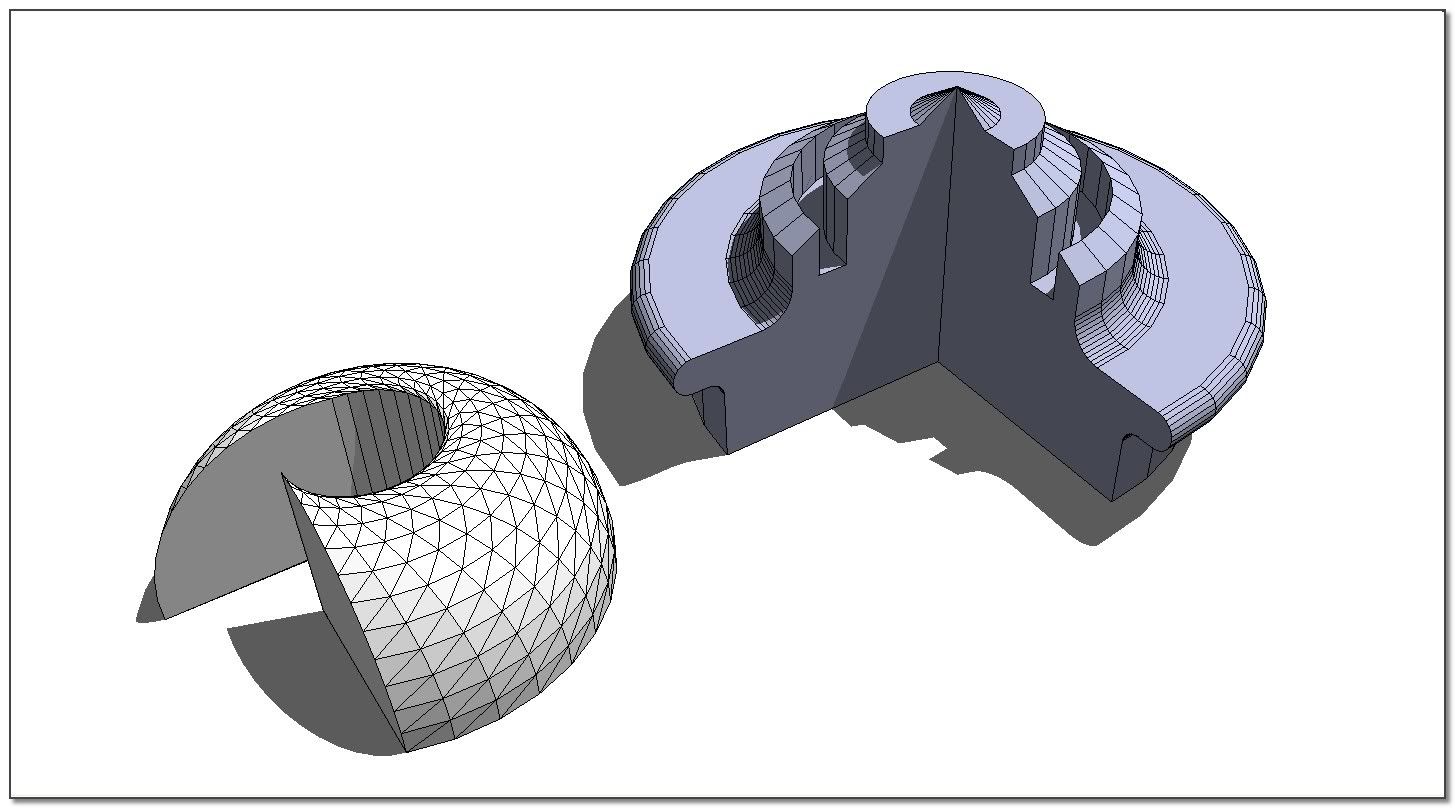
My 'lathe' uses NO arcs at all - all of the edges that are created are pseudo-arcs - i.e. edges that might make an arc BUT aren't actually part of an arc... It simply makes a 'followme' of a face [or any polyline !!!] around a supposed arc shaped path, that is correct without any distortions of the geometry - unlike the built-in 'followme' < 360 degrees...
.
-
TIG
This is a long needed tool and thanks a bunch for taking the trouble.
Long time ago there was one with the same ruby name so good idea to flush the old one if exist before install.Much needed and appreciated by all.

Cheers
dtr
-
dear Tig,
This tool is so great

It compensate something we can tell it is an irritating kind of bug of FollowMe Tool when we need to draw a "piece of cake".
But it can do much more, and it is so easy to use.. Super
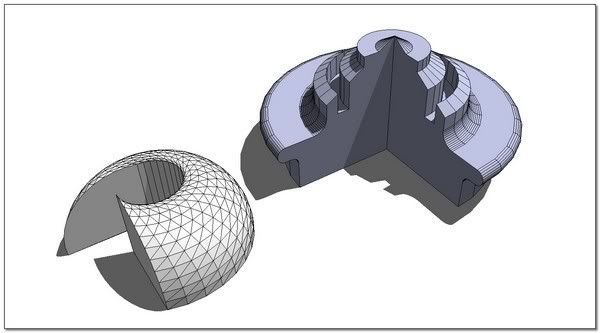
You surf so easily with ruby that you are a sort of Yoda jedaï in the SketchUpSpace...
Thank again, thank for this...
simon.










Advertisement